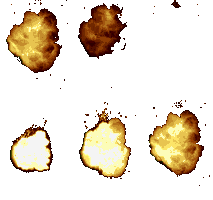
Download the packs you want and put the zip files in the same folder as the installer (or press Browse... in the installer). Choose the set in the game: Video - picture & textures - HD textures. The packs need OpenGL; AI 4K also needs S3TC (DXT) textures and a lot of video memory. The low texture packs for old computers are already in the installer.
Pack Size Download HD standard - upscaled originals 1,627 MB Download ZIP HD enhanced - sharper upscale 1,627 MB Download ZIP HD enhanced - less grain 1,627 MB Download ZIP AI (Stable Diffusion) 1,627 MB Download ZIP AI 4K - part 1 of 3 1,898 MB Download ZIP AI 4K - part 2 of 3 1,891 MB Download ZIP AI 4K - part 3 of 3 1,356 MB Download ZIP HD effects - sprites, weapon effects, marks and gore, including 4K 335 MB Download ZIP Optional HD sounds - 44 kHz 80 MB Download ZIP AI 4K needs all three ZIP files. Download each part separately and keep them together. Other texture sets are alternatives; choose the set you want. Sizes are decimal MB.
Put the ZIP files next to Quake2ToTheMAX_1.0_Setup.exe, or select them with Browse in setup. Choose the texture set in Video - picture & textures - HD textures. The installed driver determines which options are supported.
All texture and sound pack download links
The HD textures and sprites are based on Quake II's original artwork: you need your own copy of Quake II.